![logo 1.svg]](https://help.digitalreachos.com/hubfs/logo%201.svg)
1. Sign in to Google Ad Manager.
2. Click on Settings & Billing.

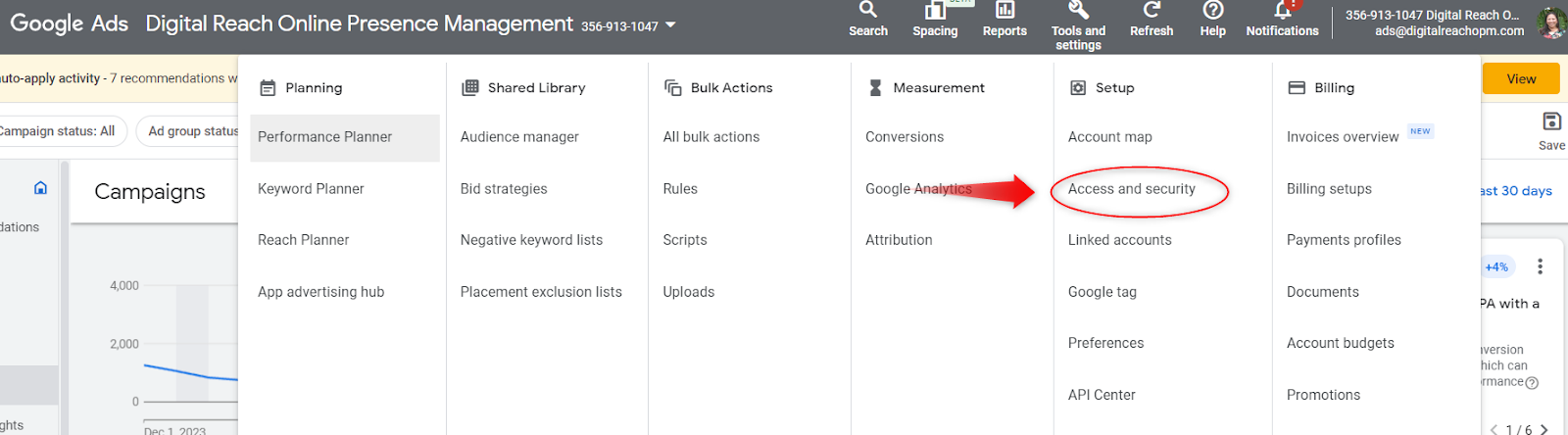
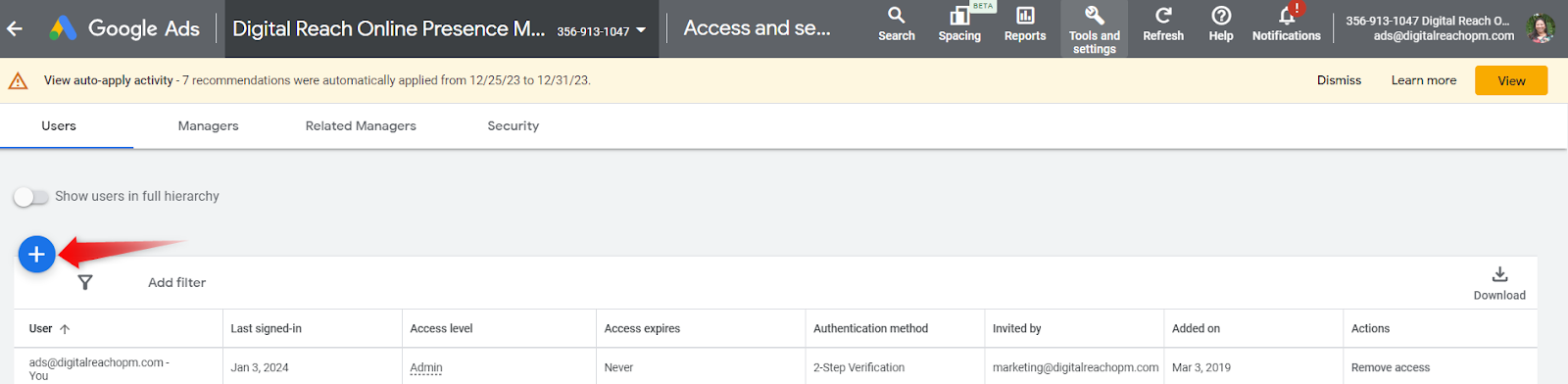
4. Next page, under User, click on the plus/add sign.
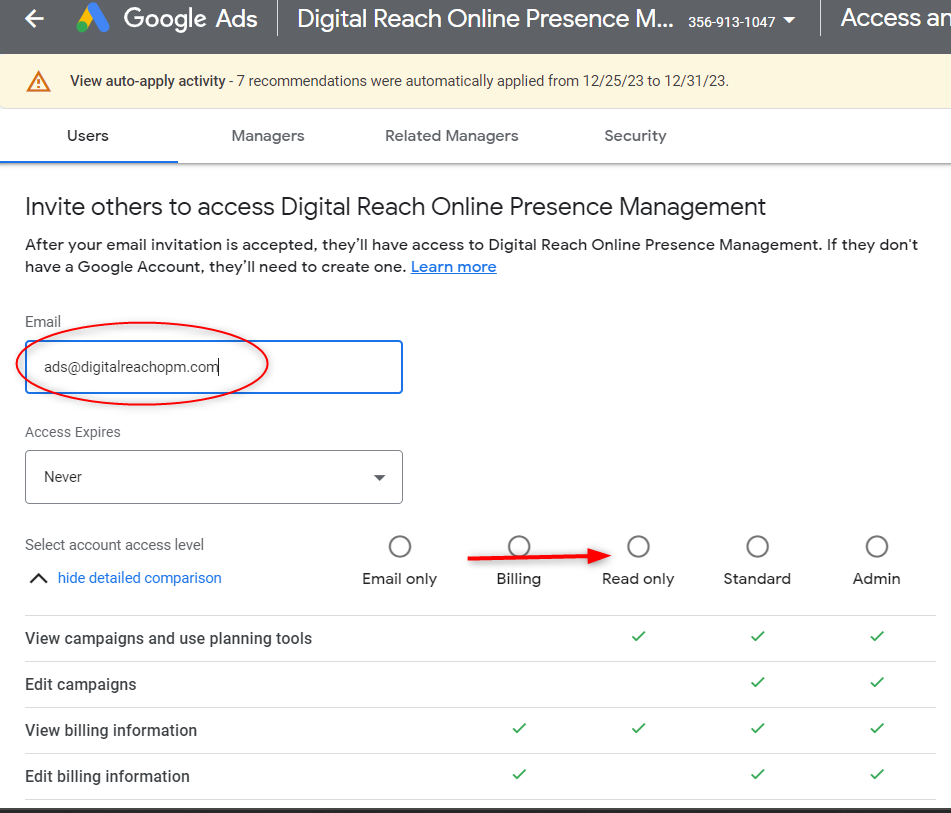
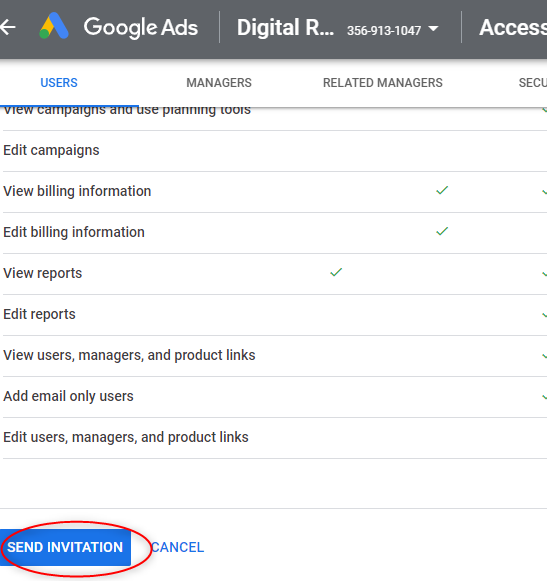
5. Type in the email address - campaigns@digitalreachopm.com and choose Read Only as the Role.
4. Next page, under User, click on the plus/add sign.
5. Type in the email address - campaigns@digitalreachopm.com and choose Read Only as the Role.