![logo 1.svg]](https://help.digitalreachos.com/hubfs/logo%201.svg)
1. Sign in to Campaign Manager.
2. Make sure you have the correct account.
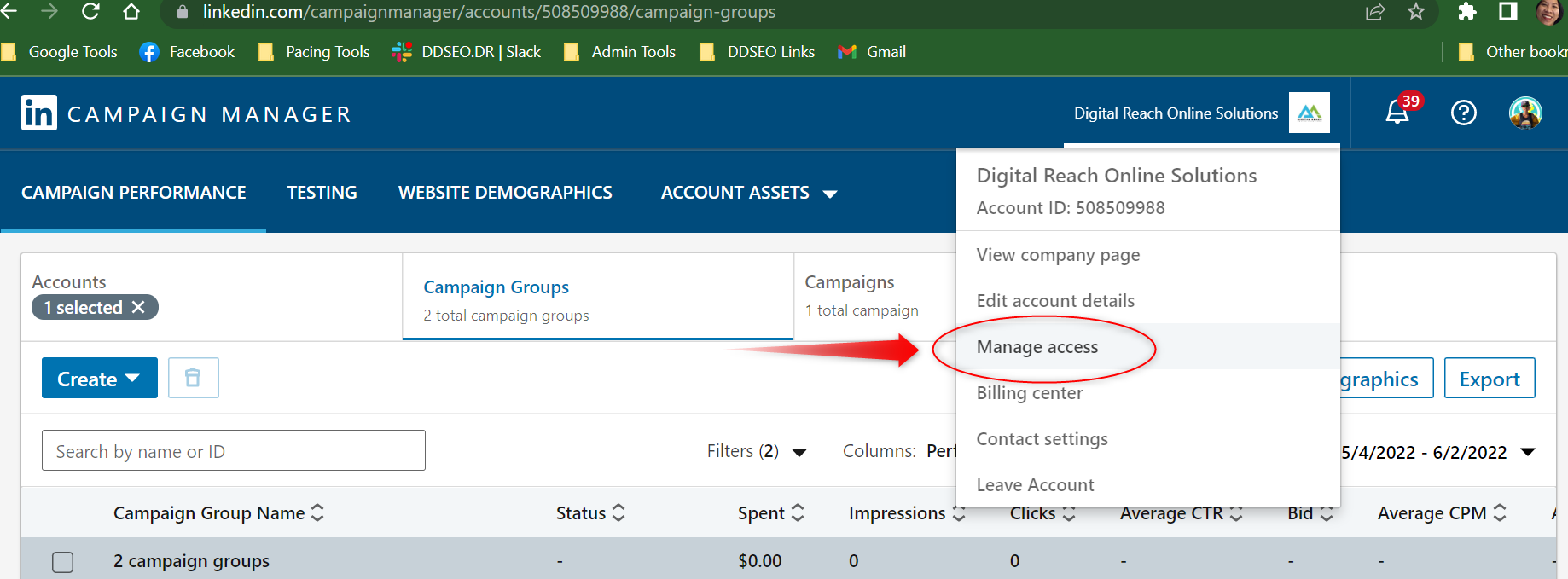
3. Near the top right of the account page, click the Settings icon next to the account name and select manage access from the dropdown
4. Click Add User to Account.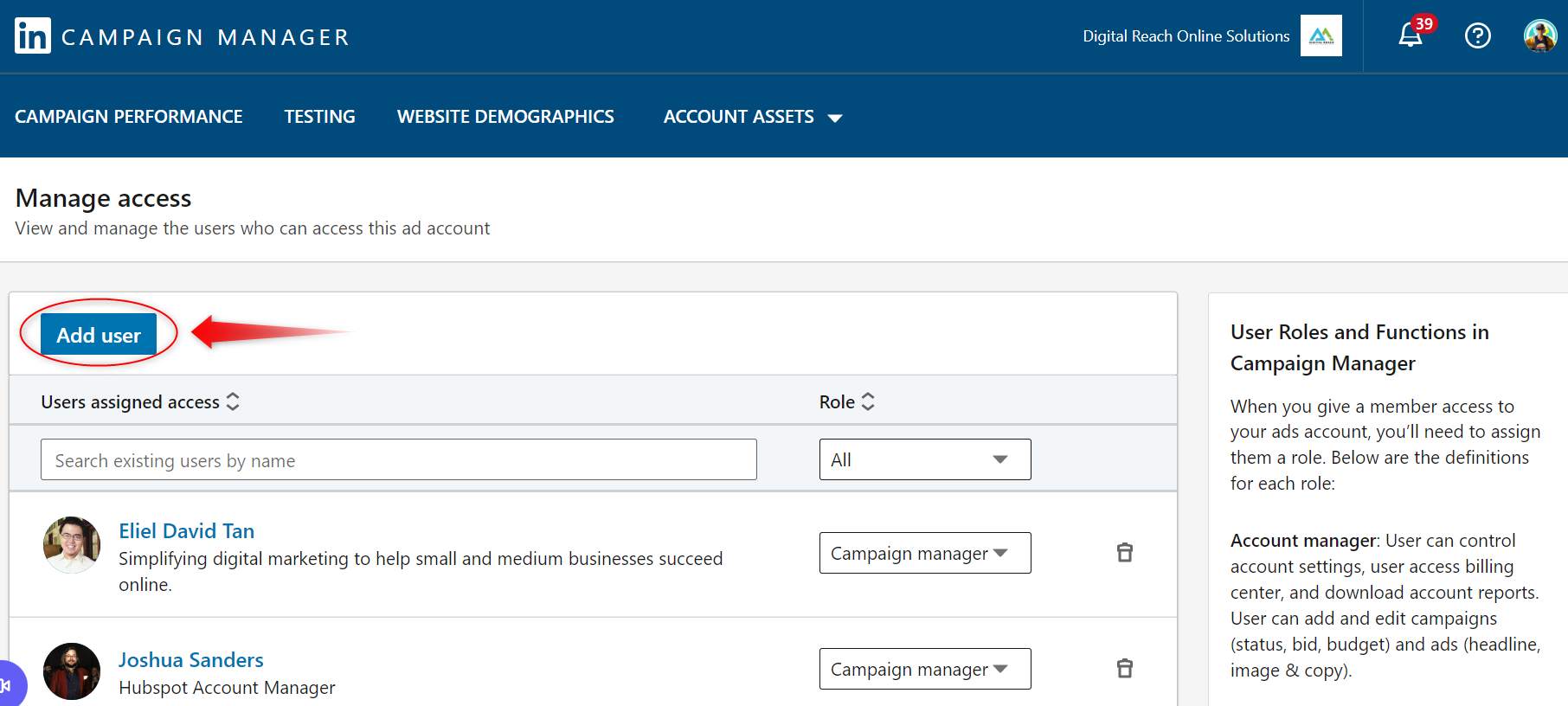
5. Type in the name of Mandy Thompson and assign her role as Account Manager. Relevant team members will be added as campaign managers through Mandy. Mandy should have also been added to your LinkedIn page.