![logo 1.svg]](https://help.digitalreachos.com/hubfs/logo%201.svg)
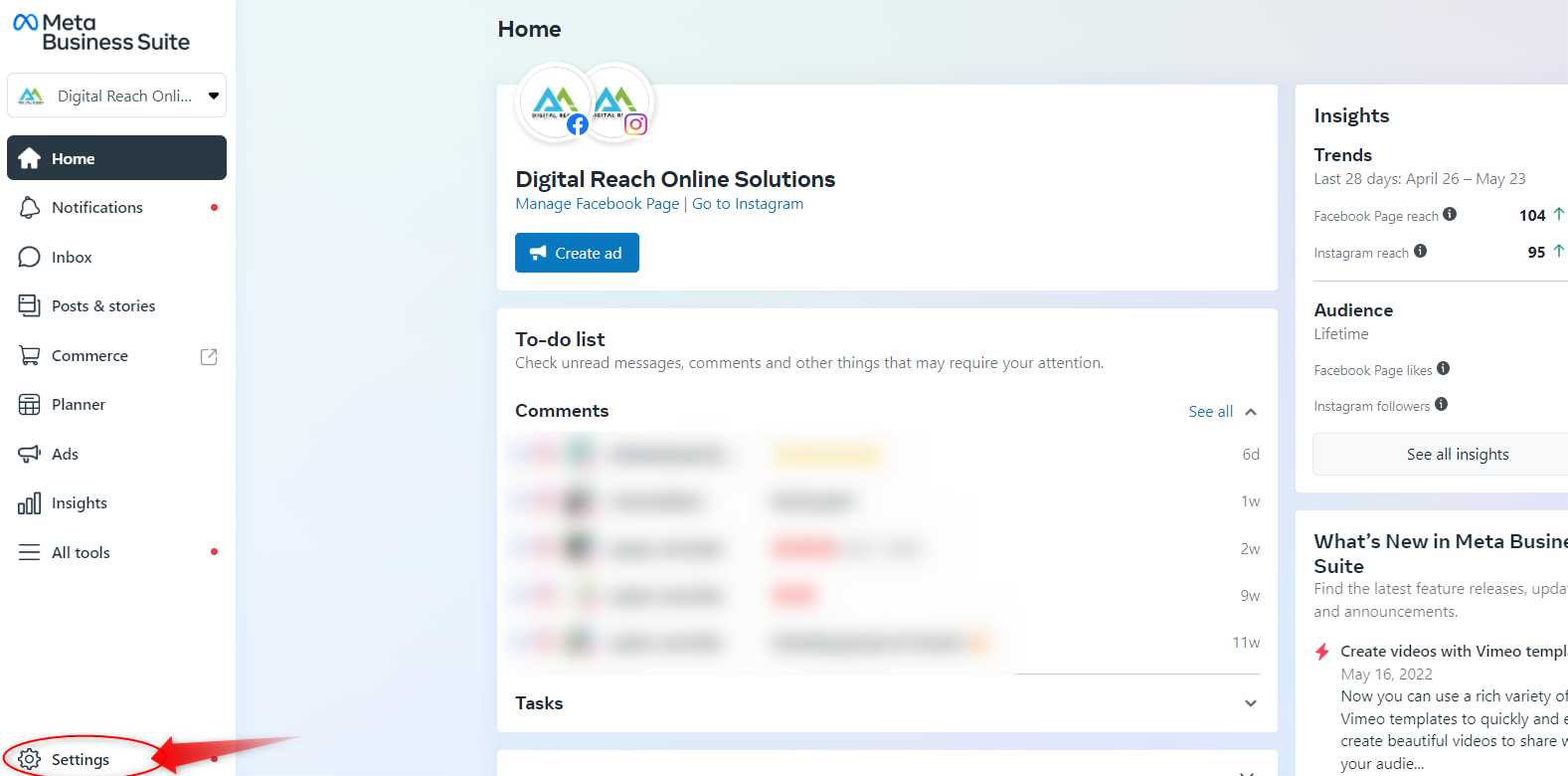
1. Go to link https://business.facebook.com/
2. Go to Settings.
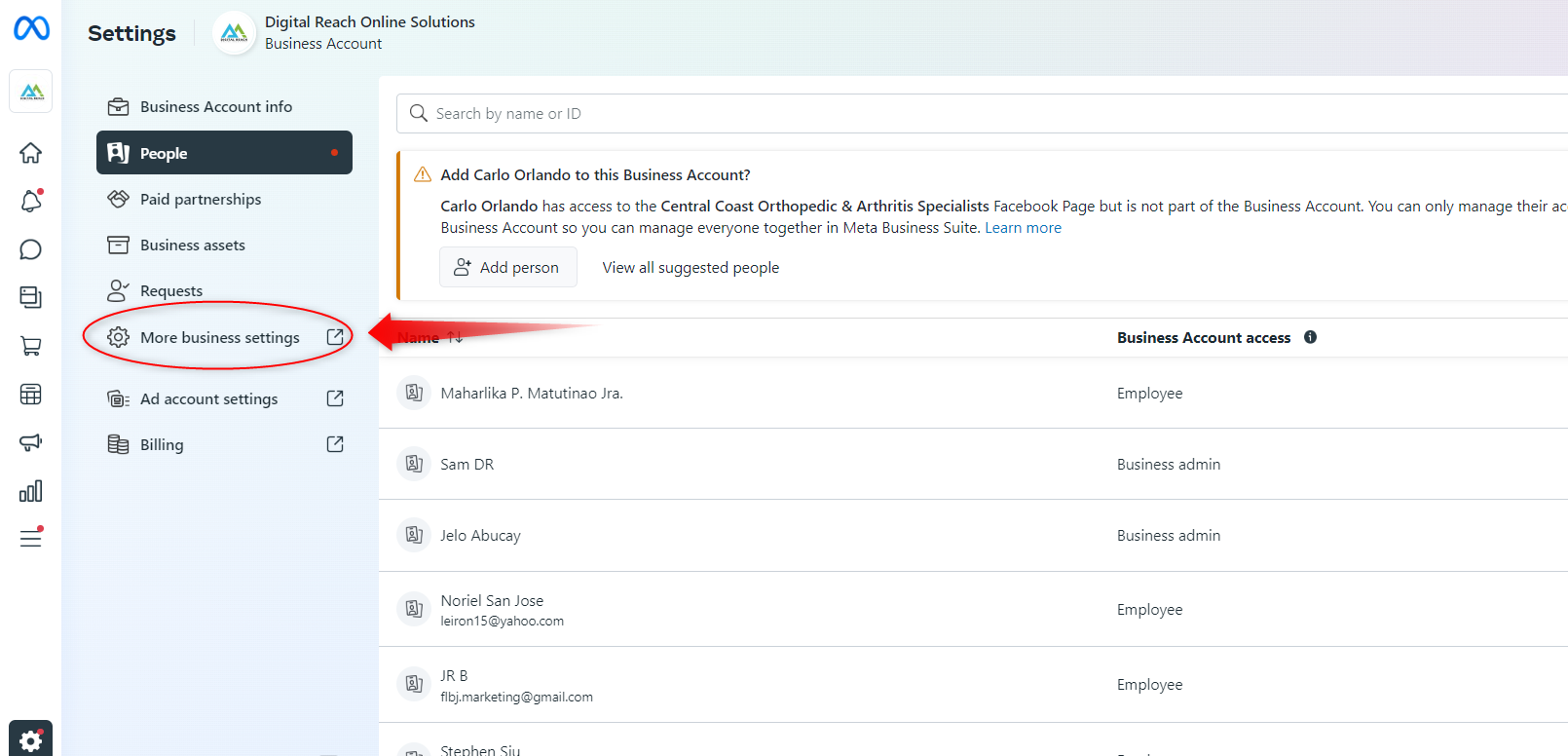
4. Click People.
5. Click + Add.
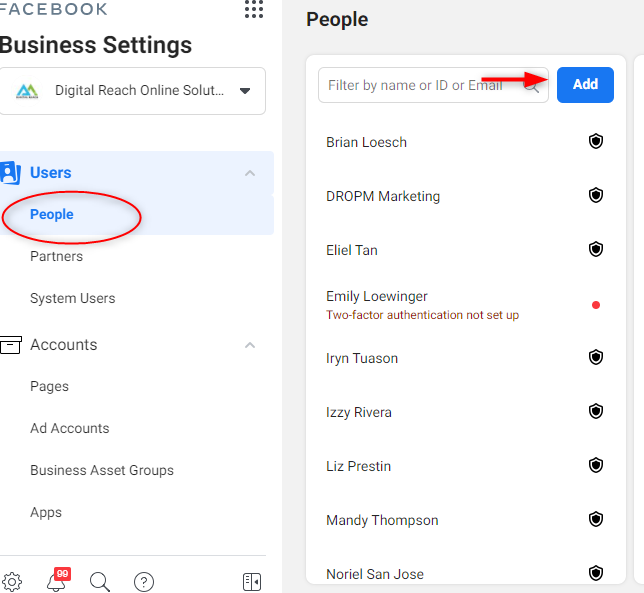
6. Enter the work email address iryn@digitalreachos.com and click NEXT.
7. Select the Full Control since we would need to manage the add account and add relevant team member who will be managing the ad account.
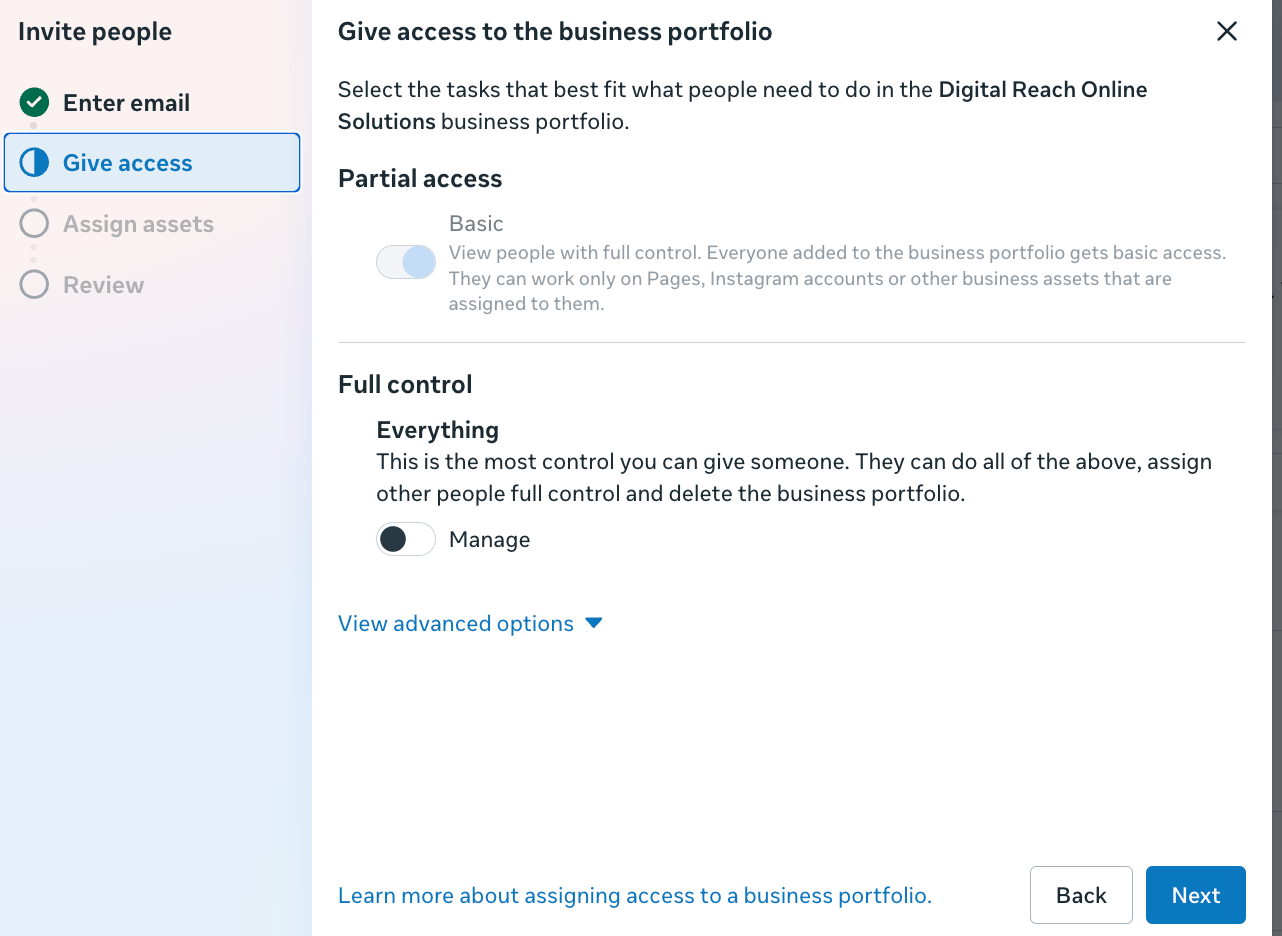
8. Click Next.
9. Choose a type of asset in the first column, then select the individual assets you want to add this person to in the second column. Please make sure that we have access to the FB Ads Manager, Pixel and Page.
10. Click Invite.
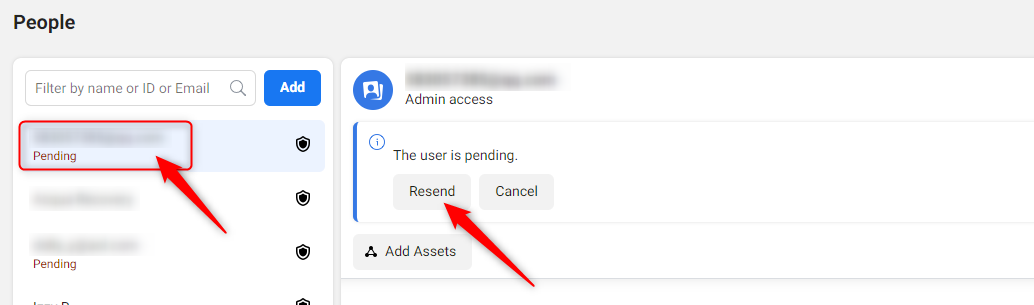
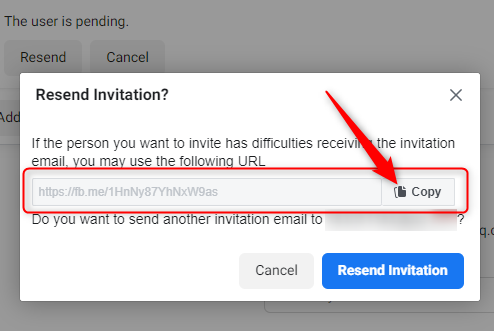
11. Once this is done, click on the email address that’s showing as pending and then click on Resend button.