![logo 1.svg]](https://help.digitalreachos.com/hubfs/logo%201.svg)
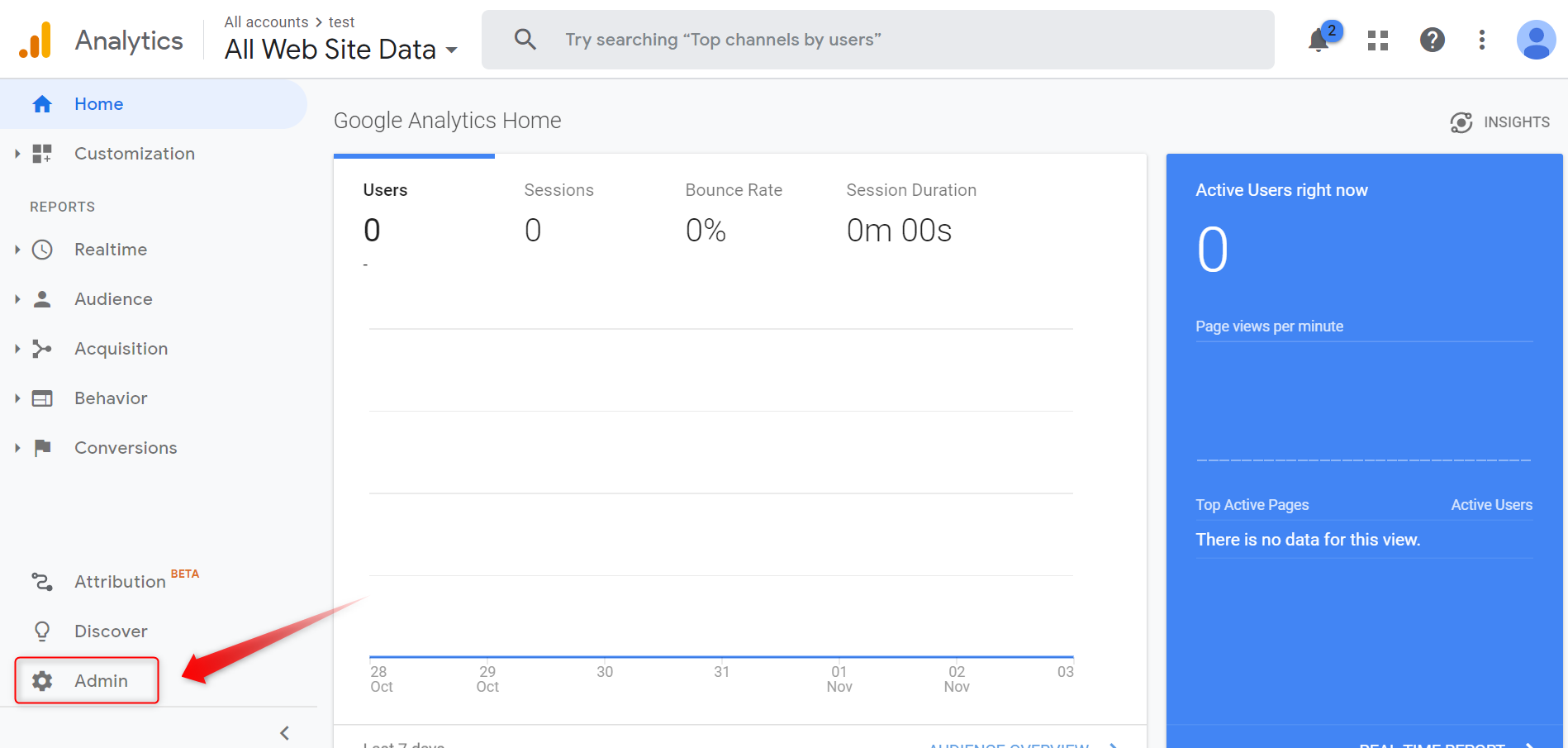
1. Click on Admin.
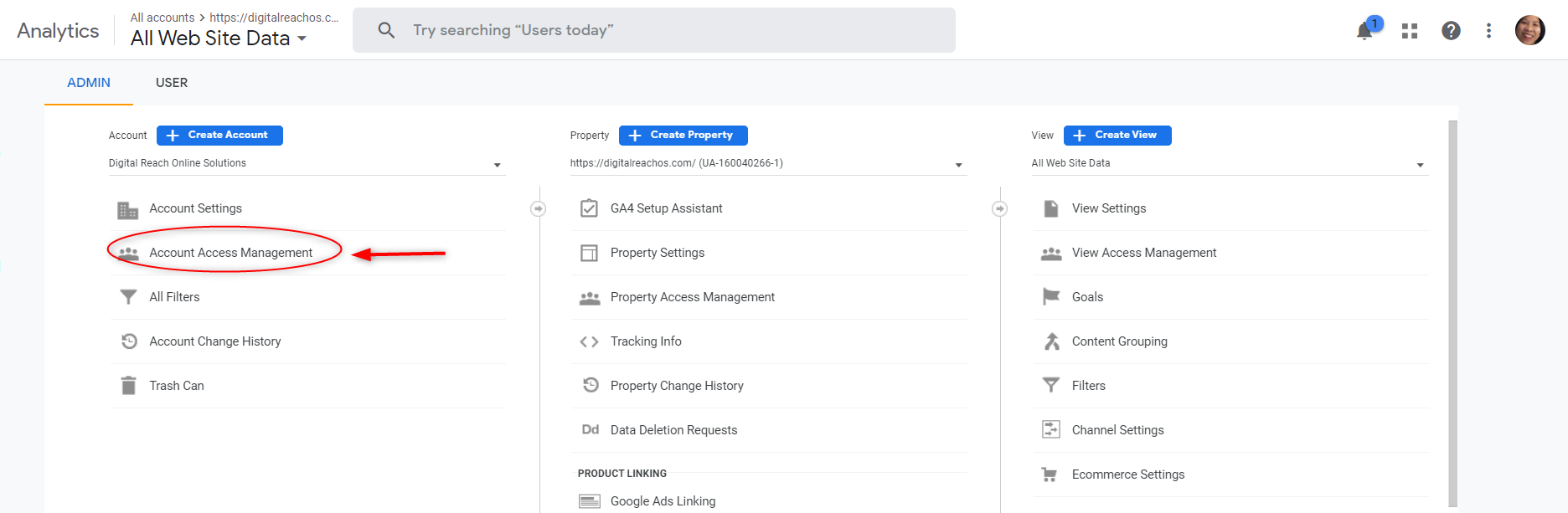
 icon and click on Add users.
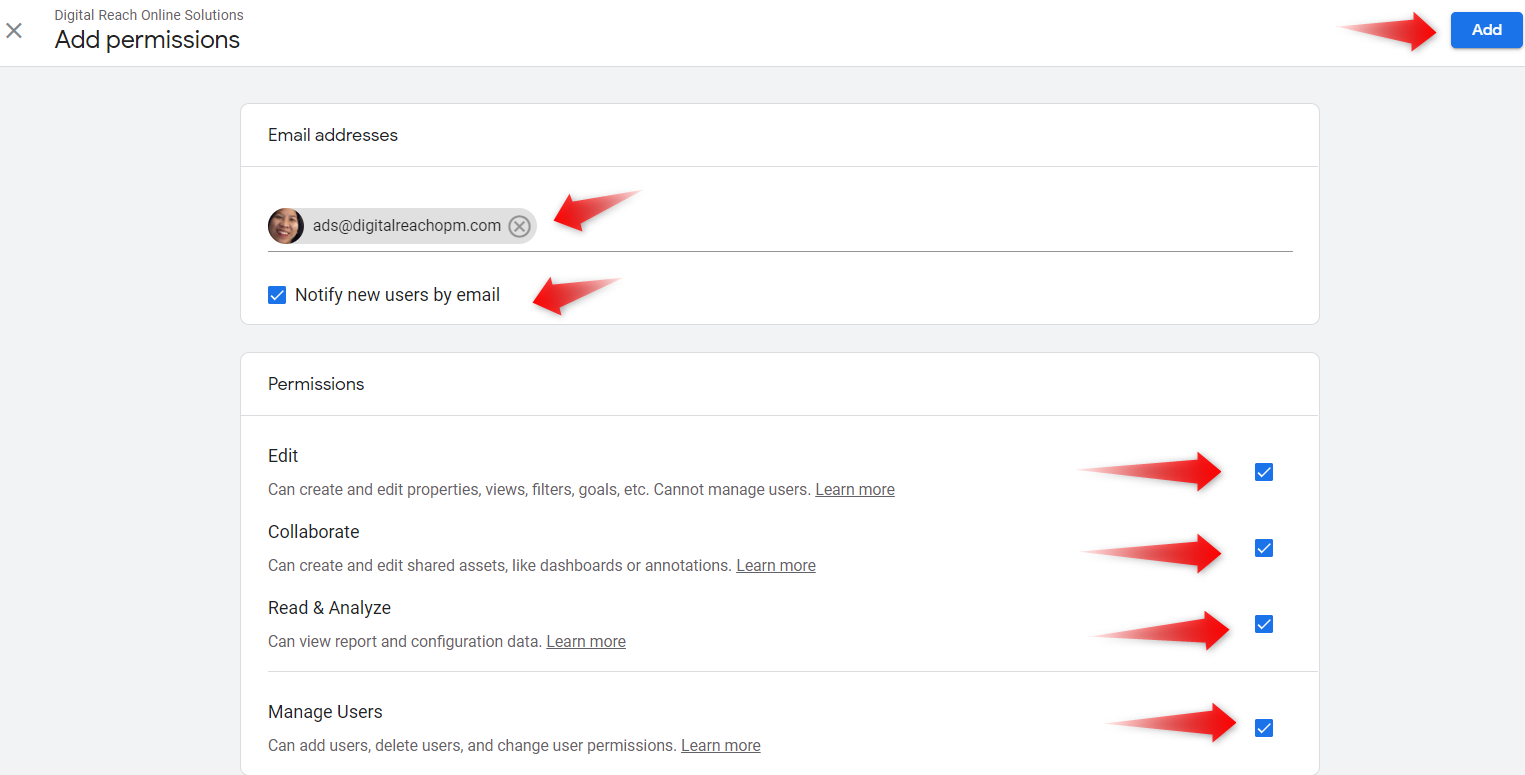
4. Type in ads@digitalreachopm.com in the email address field. Make sure the following are checked:
 Notify new users by email
 Edit
Edit
Collaborate
Read & Analyze
Manage Users
5. Click the Add button.
An invite will be sent and we will then be able to view your historical data.