![logo 1.svg]](https://help.digitalreachos.com/hubfs/logo%201.svg)
1. Go to this website: https://tagmanager.google.com/#/home
2. Click on Admin and then User Management.
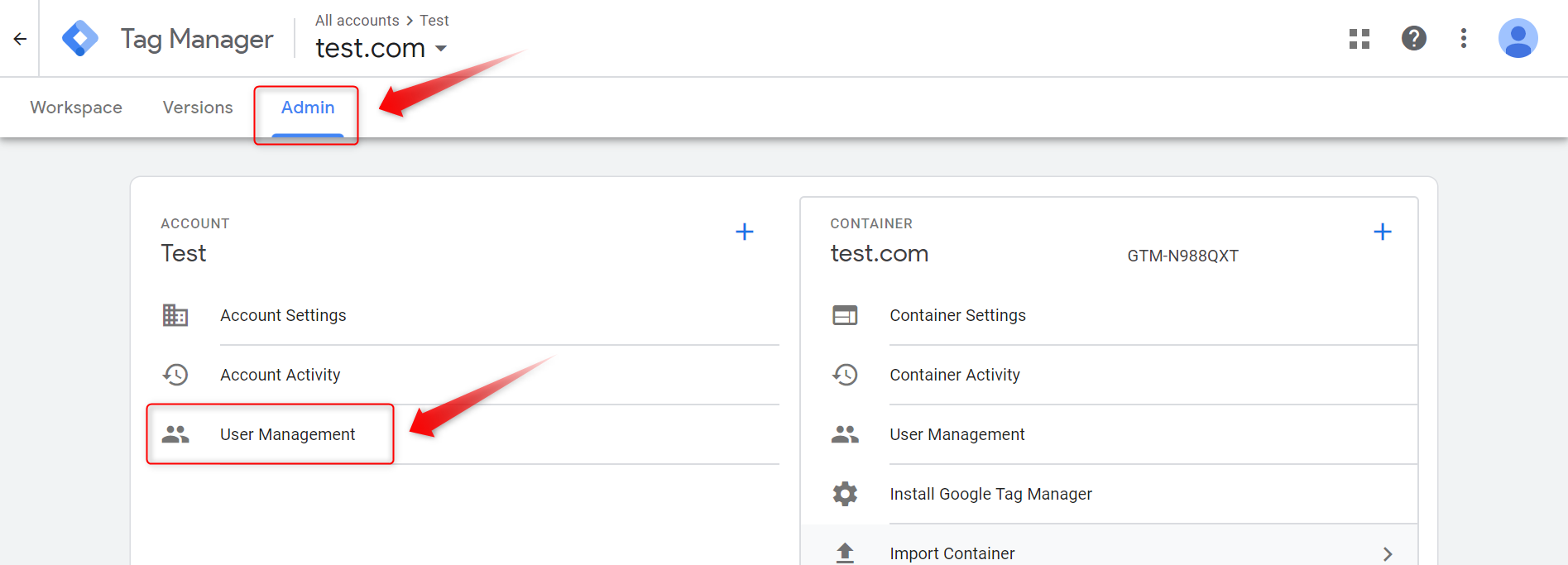
3. Click on the  icon and click on Add users.

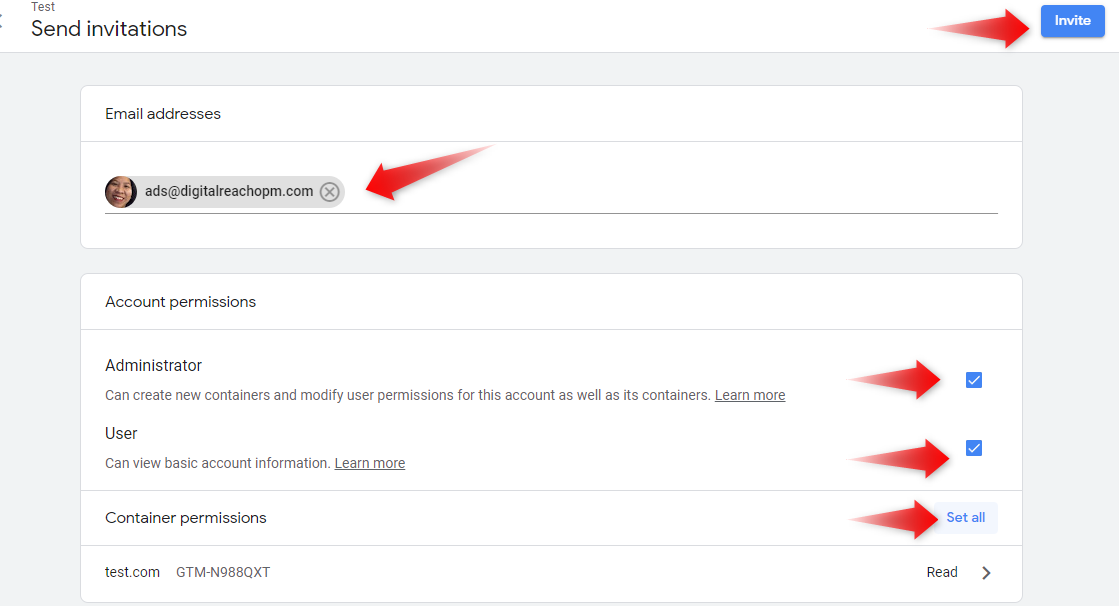
 Administrator
 User
User
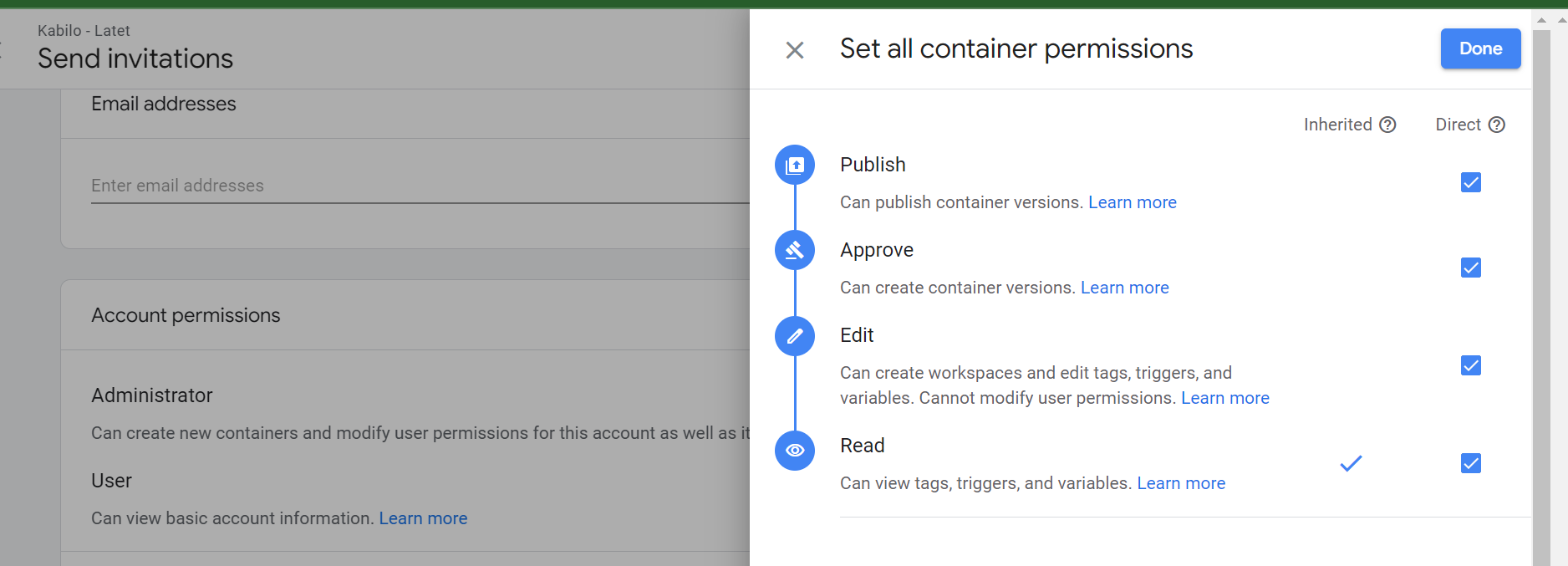
Publish, Approve, Edit, Read in Container Permissions
Click the Invite button.
1. Go to this website: https://tagmanager.google.com/#/home
3. Click on the icon and click on Add users.
Administrator
User
Publish, Approve, Edit, Read in Container Permissions
Click the Invite button.